Your Next Adventure Could Change Everything
Join thousands of adventurous women who've discovered that the best travel stories often include a plot twist.
Start Your Adventure – Join Free
✓ Free to join ✓ No credit card required ✓ Join 50,000+ travelers
A travel date photo privacy plan is the set of choices you make about which pictures a new match can see, what those pictures quietly reveal, and when anything from the trip goes public. It does not prove a match is honest, and it does not make a first meetup risk-free. It keeps your lodging, your routine, and your documents out of the frame while you are still deciding whether a public coffee is worth an hour of your trip.
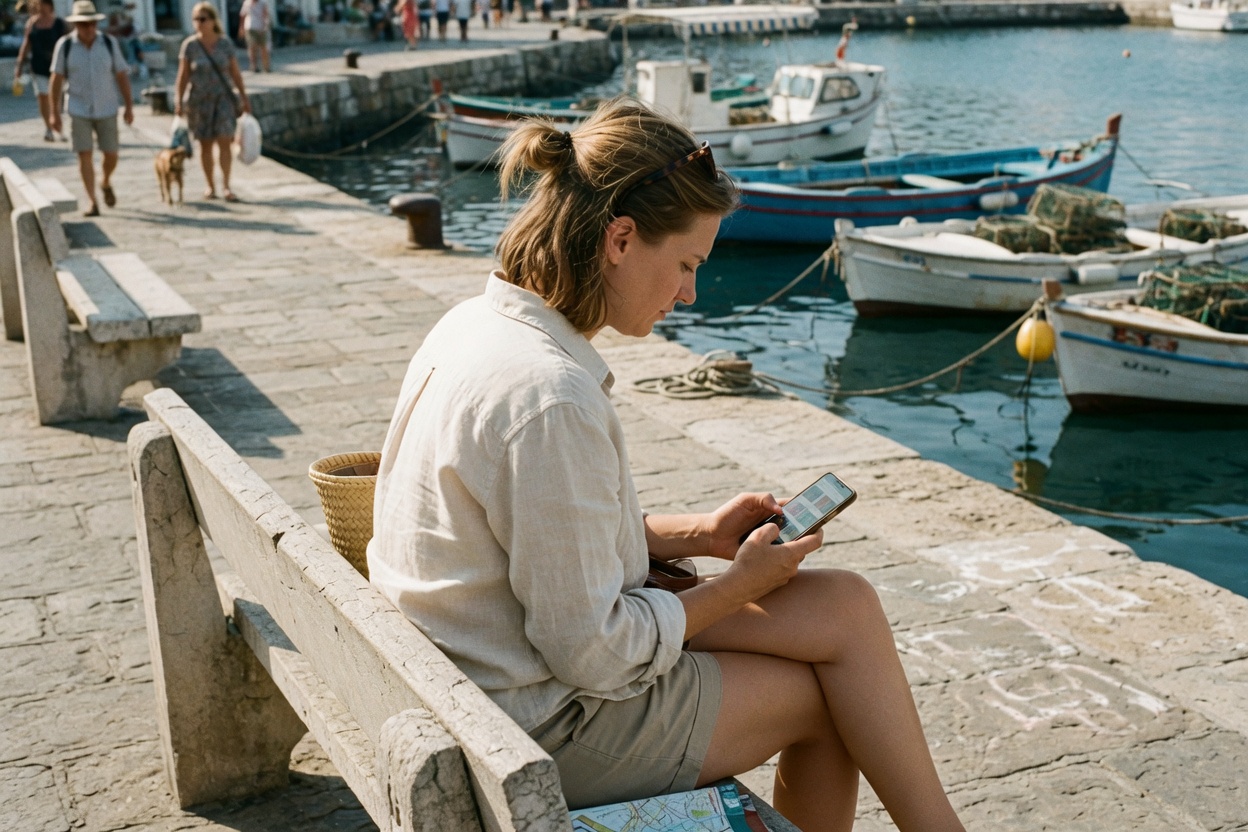
Gallivanta’s travel-first position is adventure first, sparks welcome, traveler control intact. You already pick a public venue, a leave-by time, and a trusted contact. Photos are the layer that can undo all of that in one tap. A sunset shot from a balcony, a mirror selfie with a key card on the dresser, or a story posted from the cafe while you are still sitting in it can tell a stranger more about where you sleep than any message you typed.
Published and reviewed: October 7, 2026
- → Why photo privacy matters
- → Audit your profile photos
- → Strip location data before you share
- → Keep lodging and documents out of frame
- → Decide which photos the chat may carry
- → Handle photos during the first meetup
- → Post after you leave
- → If a photo is misused or threatened
- → Use calm photo-boundary scripts
- → Strengthen the plan for higher-risk travelers
- → Run the action checklist
- → Review sources and boundaries
- → Read the FAQ
Why photo privacy matters before a first travel date
At home, a photo of your street corner says very little to a stranger, because you have neighbors, routines, and a door you know. On a trip, the same kind of photo can narrow you down to one guesthouse, one tram stop, and one hour of the morning when you usually walk out alone. Travelers post more pictures, in more places, to more people, and they do it while sleeping somewhere a stranger could identify from a single window view.
This layer sits beside your travel date verification checklist, your accommodation privacy plan, and the message channel plan that keeps the first conversation reportable. Verification asks whether the match is who they say they are. Accommodation privacy keeps your address out of the chat. Photo privacy closes the gap between them, because a picture can leak the address you never typed.
Keep four truths separate. Facts are what consumer-protection and online-safety agencies document: romance scammers build fake profiles, push for private contact, and some people are pressured or threatened over intimate images. Examples in this guide are illustrative composites, not reports about a named person. Assumptions are your own risk tolerance, which changes with the city, your visibility, and who already knows where you are staying. Advice here is ordinary hygiene for a first public meetup. It is not a promise that a careful camera roll makes anyone safe, and it is not a substitute for local emergency services.
The FTC’s guidance on romance scams describes profiles built to win trust quickly and then move the relationship somewhere private. Australia’s eSafety Commissioner on image-based abuse covers what happens when intimate images are shared without consent or used as leverage. A photo privacy plan does not detect every bad actor. It limits what a bad actor could learn or keep from you while the meetup is still optional.
Audit your profile photos for location clues before you travel
Start with what strangers can already see. Open your dating profile and any linked social accounts as if you were a curious person with an afternoon to spare. Look at each photo and ask one question: could someone use this to find where I sleep, where I work, or when I am usually alone?
The common giveaways are small. A hotel lobby with a distinctive staircase. A rental with a recognizable view of a bridge. A gym mirror with a logo. A running route that starts at the same door every morning. A car with a readable plate. A workplace badge clipped to a lanyard. None of these is dangerous on its own. Together they become a map.
- Swap any photo taken at or from your current lodging for one taken in a public place you have already left.
- Remove photos that show your home street, your building entrance, or a view a local could place within a block.
- Keep faces, smiles, and hobbies. Lose the background details that point to a door.
- Check whether your dating profile links to a social account that shows real-time posts. If it does, unlink it for the trip.
Run the same reverse-image habit on yourself that you would run on a match. If a profile photo of yours is also your public work headshot, a stranger can connect your dating profile to your full name and employer in seconds. That may be fine for you. Decide it on purpose. The travel dating apps guide is a useful place to compare how much each platform shows by default, and the solo travel apps for women roundup covers tools many travelers already carry.
Strip location data before you share a photo
Most phone cameras can save where a photo was taken inside the file itself. Some apps remove that data when you upload. Others keep it, especially when you send an original file, a document, or a cloud link instead of a compressed image. You do not need to know which app does what on every update. You need a habit that does not depend on remembering.
Both major phone platforms let you turn off location tagging for the camera and remove location from a photo at the moment you share it. The exact menu changes between versions, so check it once before the trip, on the phone you are actually carrying. Then make two rules:
- Camera location tagging stays off for the length of the trip, unless you turn it on for a specific hike and off again after.
- Anything you send to a match goes as a normal in-chat image, never as an original file, an album link, or a shared cloud folder.
Shared albums deserve a separate warning. A link to an album often keeps updating after you send it. A stranger who received one dinner photo on Monday can still be watching the album on Thursday when you add the view from your rental. Keep shared albums for trusted people only, and never use one to “show the trip” to someone you have not yet met in daylight.
Screenshots are not a cure. A screenshot strips the original file data, but it still shows everything inside the picture. A street sign, a guesthouse doormat, or a reflection in a window survives every crop you forget to make.
Keep lodging, documents, and routines out of frame
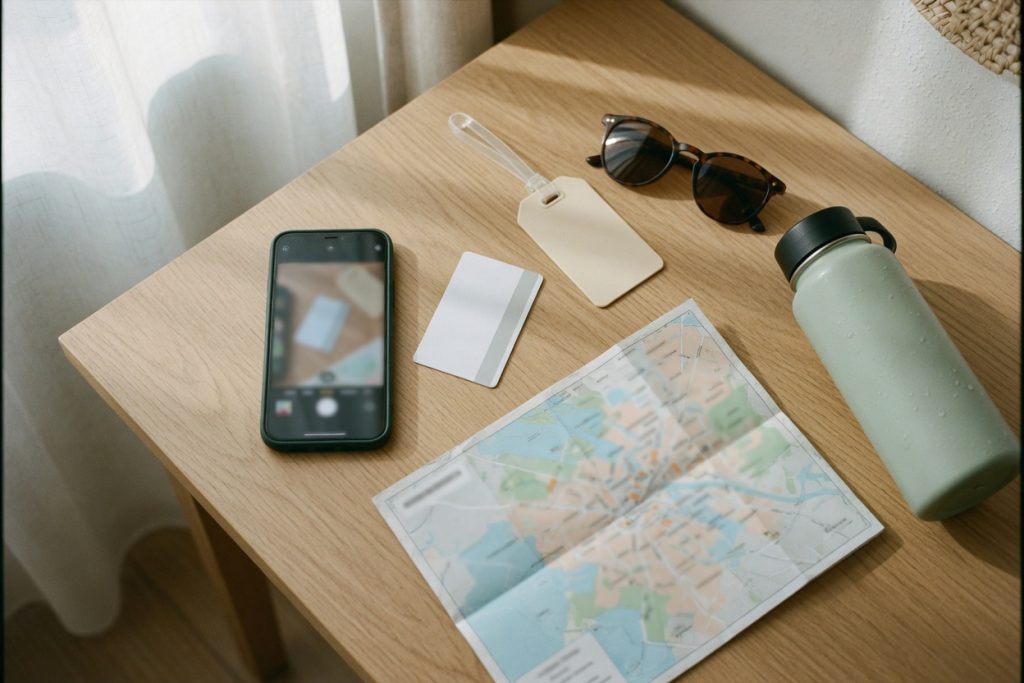
The most revealing details in travel photos are usually lying on the table. A key card with a hotel name. A luggage tag with your surname. A boarding pass with a booking code and a barcode. A passport page on the bed while you pack. A receipt showing the address of the cafe you visit every morning. Treat every flat surface in your room as a place that can leak the trip.
Before you take a photo for anyone outside your trusted circle, scan the frame for five things:
- Lodging clues: room numbers, door tags, building views, branded towels, toiletries, or a window that shows a recognizable street.
- Documents: passport, visa, ID card, boarding pass, travel insurance letter, or any barcode or QR code.
- Payment items: bank cards, payment app screens, or receipts with partial card numbers.
- Routine clues: the same cafe table every morning, a gym badge, a co-working pass, or a door code taped to a laptop.
- Other people: faces or names of hosts, staff, or fellow travelers who did not agree to appear in your chat.
Your accommodation privacy plan draws the line at the door. The photo plan applies the same line to the lens. If a picture is useful, take it somewhere public that you have already left, or somewhere you will never return to alone. A plate of food at a busy market tells a match you have good taste. A plate of food on the balcony of your rental tells them which balcony.
Illustrative scenario A — The key card on the dresser: Priya sends a mirror selfie from her room before a first coffee. It is a nice photo. She notices, after it sends, that the key card on the dresser shows the hotel’s name and the floor plan on the door shows the room layout. She cannot unsend it on that app. She keeps the coffee at the public cafe she already chose, tells her trusted contact which hotel name was visible, and does not accept any offer to “walk you back.” Next time she takes photos in the lobby of a museum instead.
Decide which photos the chat may carry
A first-meet thread can carry a recent face photo, a hobby photo, or a picture of the public venue entrance you already agreed on. That is enough to recognize each other and to feel the conversation is real. It does not need intimate images, photos of documents, photos of your lodging, or photos that show where you will be later in the day.
Write down your photo rule before the chat gets warm. A rule set in advance is easier to keep than a rule you invent in the moment, while someone you like is asking nicely. A simple version:
- Face and hobby photos are fine. They should be taken somewhere public.
- Venue photos show only the agreed public entrance, never the walk from your lodging.
- No intimate or partly undressed photos with anyone you have not met in person, and no pressure about it after you meet.
- No photos of passports, ID cards, tickets, or bookings, even when someone says they need to “verify” you.
- No live video calls that show your room before the first public meetup.
The intimate-image rule matters most, because it is the one that can be turned into leverage. eSafety’s image-based abuse guidance describes people being threatened with the release of images unless they pay or send more. You can be fully trusting and still decide that images like that only exist after trust has been earned in person, over time, if ever. A match who means well will accept the pace. A match who escalates when you decline has given you useful information early.
Requests to “prove you are real” with an ID photo are a separate red flag. Real verification on a dating platform happens inside the platform’s own tools. If a match wants a document, decline and keep the plan on the reportable channel described in the message channel plan. If they will not meet without it, you have your answer.
Travelers who use Gallivanta to find travel-first connections still own this rule offline. A profile can show who you are. Your photo plan decides how much of your trip comes with it.
Handle photos during the first meetup
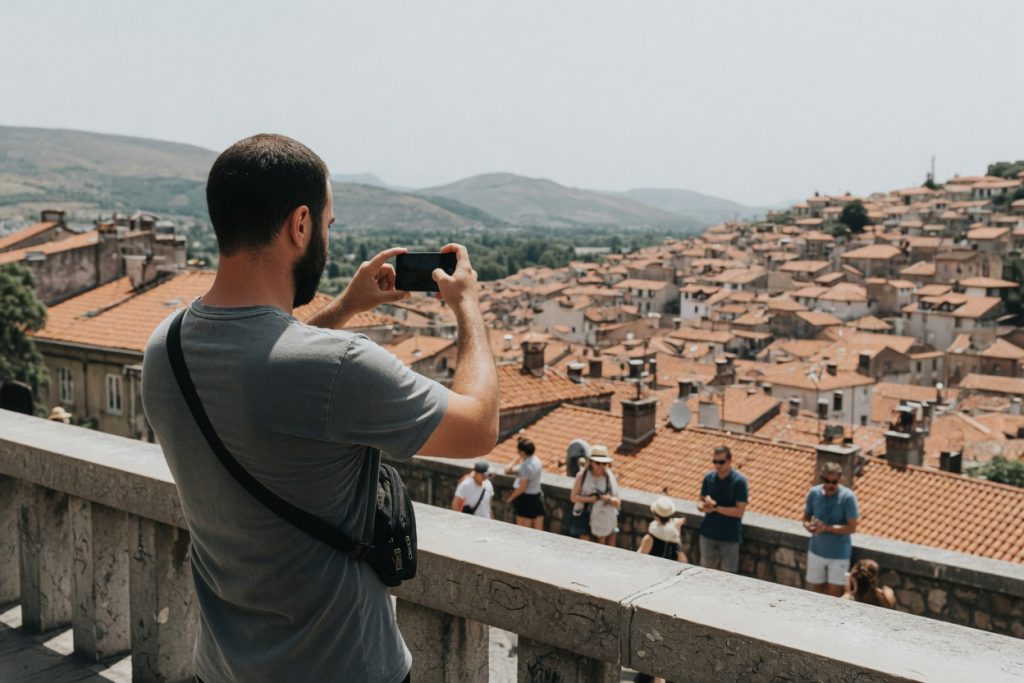
A first public meetup can be fun and still be photo-light. Agree on one simple norm: no photos of each other’s faces posted anywhere, and no tagging, until you both say yes later. You can still take a picture of the view, the food, or the street musician. You can still enjoy the hour. You are only deciding that the hour does not become content while you are both in it.
If your match asks for a selfie together, a calm answer works: “Happy to take one of the view. I keep my face off other people’s phones on the first meet.” Most people will shrug and move on. If someone takes a photo of you anyway, you can ask them to delete it in front of you. That is a normal request, not a scene.
Loving This Travel Dating Safety? Don't Explore It Alone.
Real Gallivanta members are planning trips to Travel Dating Safety right now. Join the community and turn your solo travel dreams into shared adventures.
Join Gallivanta FreeWatch for photos that seem aimed at logistics rather than memories. A picture of your bag tag. A shot of your phone screen. A photo of the receipt that shows your card. A picture of you walking toward your tram, sent to someone else. None of these proves bad intent. Each one is a reason to keep the rest of the evening on your own plan, with your own transportation independence plan and the leave time you already set.
Keep your own phone face-down unless you are sending the arrive or leave note to your trusted contact under your check-in protocol. A phone on the table with the camera roll open invites “let me see your trip photos,” and scrolling through your camera roll with a stranger is a fast way to show them your lodging, your previous city, and your next one.
Illustrative scenario B — The group photo at the viewpoint: Marco meets a match at a busy hilltop viewpoint at midday. A friendly stranger offers to take a photo of them together. Marco says yes to a photo of the rooftops instead, and keeps his face off the match’s phone. They talk for an hour. Later, the match posts a story from the viewpoint with a location tag. Marco is not in it. Nothing went wrong, and nothing needed to.
Post after you leave, not while you are there
Real-time posting is the most common way travelers give away a pattern. A story from the cafe tells everyone where you are right now. A story from the same cafe three mornings in a row tells them where you will be tomorrow. A check-in at your guesthouse on night one tells them where you are sleeping on night five.
The fix is a delay, not silence. Post the cafe after you have left the neighborhood. Post the guesthouse after you have checked out. Post the first-date viewpoint after you are back at your lodging, or the next day, without a location tag and without the match in the frame unless they agreed.
- Turn off automatic location tags in social apps for the trip.
- Set stories to close friends while traveling, or delay them.
- Never post your lodging, your room, or your view until you have left it for good.
- Never post a photo of a match, or tag them, without a clear yes.
This rule also protects the person you met. They may have their own reasons to keep a date quiet: a job, a family, a country where dating openly is risky. A delayed, untagged, faceless post respects both of you. It also keeps your location sharing plan meaningful. There is little point in sharing your live location only with a trusted contact if your public story is broadcasting the same information to everyone.
If a photo is misused or threatened
If someone threatens to share a photo of you, demands money or more images, or posts something without your consent, the first rule is that it is not your fault and you do not have to handle it alone. The second rule is to slow down. Threats are designed to create panic and fast payment.
- Do not pay and do not send more images. Payment rarely ends demands. eSafety’s guidance on image-based abuse and sextortion is clear on this point.
- Save evidence before you block. Take screenshots of the profile, the messages, the usernames, and any payment details they sent. Note dates and times.
- Report on the platform. Use the dating app’s reporting tools and any social network where the image appeared. Most have dedicated routes for non-consensual intimate images.
- Tell your trusted contact. You do not need to share the image. You need someone who knows what is happening and can help you think.
- Report to authorities where you can. In the US, the FBI accepts reports of extortion and romance fraud. In Australia, eSafety can help with removal. If you are abroad, your embassy or consulate can point you toward local police; the U.S. State Department’s scams guidance covers what citizens abroad can expect.
If the misuse is tied to a meetup that went wrong in person, support from RAINN is available, and nothing in this guide should delay you from contacting local emergency services first. Your safety outranks your trip, your plans, and your bookings.
The FBI’s romance-scam guidance also notes that people who send money often hesitate to report out of embarrassment. A photo threat works on the same shame. Reporting is not an admission of anything. It is how a pattern gets stopped.
Use calm photo-boundary scripts
Boundaries are easier to keep when the words are already chosen. These are short, friendly, and complete. You do not need to explain further.
- When asked for more photos before meeting: “I’d rather save the rest for the coffee. See you at the cafe at four.”
- When asked where a photo was taken: “Somewhere along the trip. I’ll tell you stories in person.”
- When asked for an ID or ticket photo: “I don’t send documents over chat. Happy to verify through the app.”
- When asked for a video call from your room: “I’ll keep it to the public meetup first. The cafe is easier.”
- When asked for an intimate photo: “Not something I do with people I haven’t met. Coffee is still on if you’d like.”
- When asked for a selfie together on the date: “Let’s get one of the view instead. I keep my face off other people’s phones for now.”
- When someone posts or tags you without asking: “Please take that down. I don’t post dates.”
If someone reacts to a photo boundary with guilt, insults, or a flood of messages, you are allowed to stop replying. Report and block on the platform you still control. Tell your trusted contact the plan is off. The travel meetup exit strategy covers how to leave a conversation or a table without a confrontation.
Illustrative scenario C — The album link: Sam’s match asks to “see the whole trip so far” and suggests Sam share a cloud album. Sam sends two public photos in the chat instead: a market stall and a mountain trail. The match pushes once more, then lets it go. They meet for coffee the next afternoon. Sam’s album, which includes the view from the rental and a photo of a passport stamp, stays shared only with Sam’s sister.
Strengthen the plan for higher-risk travelers
Some travelers carry more risk from a single photo. Women traveling alone, LGBTQ+ travelers in places where dating openly is risky or illegal, people with public jobs, people leaving difficult relationships, and anyone with a visible online following should treat photos as a stronger control.
- Use profile photos that do not appear anywhere else online, so a reverse image search does not connect your dating profile to your full name.
- Keep a separate, sparse social account for the trip, or pause posting entirely until you are home.
- Avoid face photos in the dating thread until the first public meetup is confirmed, and consider meeting first in a group setting or a staffed venue from your meeting-point plan.
- Assume any photo you send could be shown to people you do not know, in a place where they could use it against you. Send only what you would be comfortable seeing printed.
- Keep the photo rule even after a good first hour. Trust can grow over days, and photo access can grow with it.
Gallivanta’s guide on dating safely as a solo female traveler and the broader question of whether travel dating can be safe go deeper on how to scale controls to your own risk. The pre-landing safety plan is the right place to set your photo rule before the flight, not after the first message.
If you want a product built around travel-first meetings rather than a feed that encourages constant posting, you can look at Gallivanta’s meet-travelers path. The photo rule still sits with you. A platform can host the introduction. It cannot notice the key card on your dresser.
Travel date photo privacy action checklist
Run this once before the trip, once before you confirm a meetup, and once before you post anything from the date.
- Swap profile photos taken at or near your lodging, home, or workplace for public-place photos.
- Unlink any social account that shows real-time posts from your dating profile.
- Turn off camera location tagging for the trip, and learn how to remove location when sharing.
- Send photos to matches only as normal in-chat images. No original files, no album links, no cloud folders.
- Scan every frame for room numbers, key cards, documents, barcodes, payment cards, and lodging views.
- No intimate images, ID photos, or room video calls before a first public meetup.
- On the date, agree on no face photos posted and no tags until both of you say yes.
- Keep your phone face-down and your camera roll closed at the table.
- Post the date, the cafe, and the lodging only after you have left them, without location tags.
- If a photo is threatened or misused, do not pay, save evidence, report, and tell your trusted contact.
That list is the whole plan. Everything else in this guide is there so the list is easy to keep when the conversation is warm and the view is beautiful.
Sources, facts, and review boundaries
This guide draws on public consumer-protection and online-safety guidance, not on private case files. Read the primary pages and apply them to your own trip and your own phone. They do not rank apps, and they do not certify any dating platform.
- FTC — What to know about romance scams
- eSafety Commissioner — Image-based abuse
- FBI — Romance scams
- U.S. State Department — Scams
- RAINN — Tips for safer dating, online and in person
Gallivanta editorial review for this page was completed on October 7, 2026. Examples are composites for teaching. No statistic in this article was invented to make the risk feel larger. Phone and app menus change often, so check location and sharing settings on the device you carry before you travel. Photo privacy is one control among others. It does not replace local emergency numbers, a trusted contact, the public-first norms for a first meetup, or your own decision to leave.
FAQ: travel date photo privacy
Should I send photos before a first travel date?
A recent face photo and a hobby photo taken somewhere public are usually enough. Skip anything taken at or from your lodging, anything showing documents, and anything intimate. You can share more after you have met in person and decided you want to.
Do dating apps remove location data from photos?
Many apps remove some file data on upload, but not every channel does, especially original files, cloud links, and shared albums. Turn off camera location tagging for the trip and remove location when you share, so you are not relying on any one app.
Is it rude to refuse a selfie together on the first date?
No. Offering a photo of the view instead is friendly and normal. Keeping your face off someone else’s phone on a first meet is a reasonable boundary, and someone worth a second coffee will accept it without a debate.
When is it safe to post photos from a travel date?
After you have left the place, without a location tag, and without the other person in the frame unless they clearly agreed. Post your lodging only after checkout. A delay protects both you and the person you met.
What if a match asks for a photo of my passport to verify me?
Decline. Verification belongs inside the dating platform’s own tools, not in a private chat. A request for documents before a first public meetup is a reason to slow down, and a refusal to meet without one is a reason to stop.
What should I do if someone threatens to share my photos?
Do not pay and do not send more. Save screenshots of the profile and messages, report the account on the platform, tell a trusted contact, and report to authorities such as eSafety in Australia or the FBI in the US. If you are abroad, your embassy can help you reach local police.

Fact-checked | Safety reviewed | Updated October 7, 2026
Ready to Meet Your Next Travel Date?
You've got the destination, the vibe, and the courage to go solo. Now all you need is someone who gets it. Join Gallivanta and meet fellow travelers who believe the best chapters start with a one-way ticket.
Join Gallivanta Free